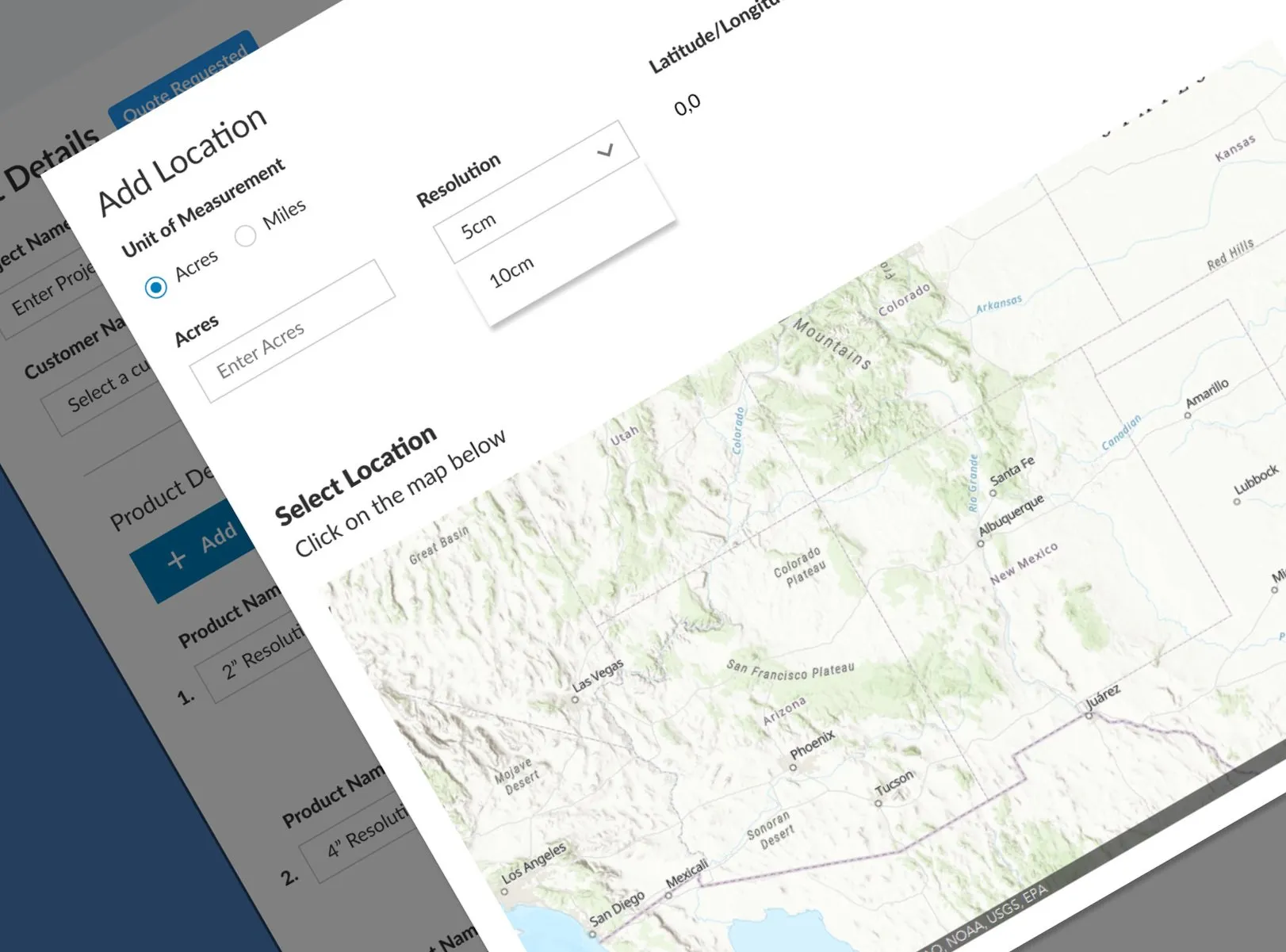
/ 3 min read
Prius Intelli SaaS Platform
An order-management platform for an aerial-imagery company, covering customer ordering through analyst and pilot dispatch, launched as an MVP in three months.
Project overview
Company: Prius Intelli
Role: User Experience Architect
Responsibilities: User flows and stories, sketching, wireframes, visual design, and prototyping
Prius Intelli provides aerial imagery and analysis to landowners, developers, and cities. On this contract, I helped design the company’s first software platform for customer orders and internal project management. I worked with the founders, systems architects, and front-end developers to create user journeys, wireframes, and clickable prototypes.
Figma prototype
For the best viewing experience, click the expand icon in the top right location of the frame.
The challenge
Prius Intelli was looking for a way to quickly dispatch order requests for aerial imagery to their pilots, track order statuses, inform internal GIS analysts of order types and requests, and give customers a portal to make new orders and view their existing orders. Through this, I identified two core user personas to guide the design.
The solution
The platform connects two workflows: customers placing and tracking imagery orders, and an internal operations team coordinating those orders between analysts and pilots. We created personas and journey maps for each group to define the screens and handoffs they needed.
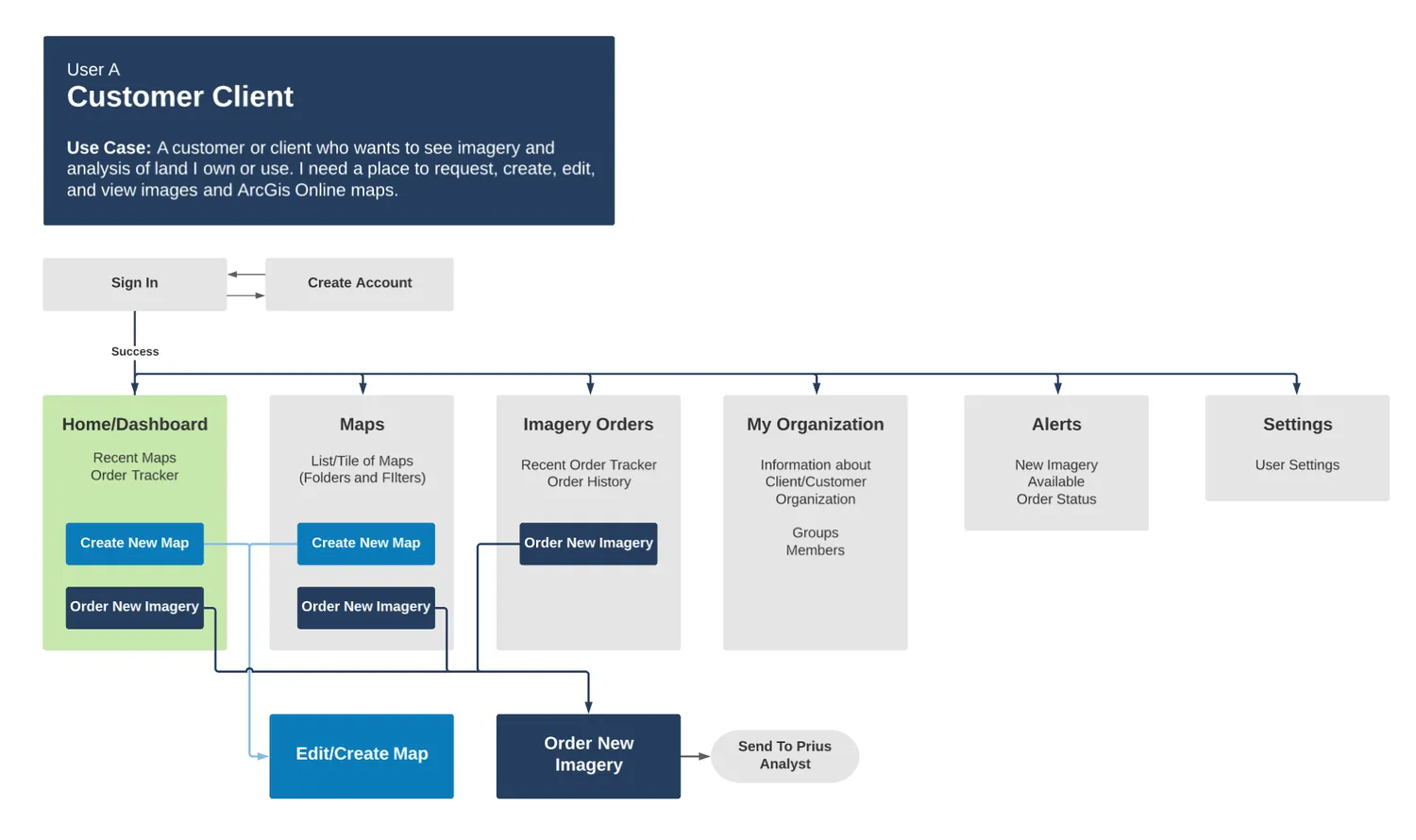
User persona A: Customer client
User A journey map
Customers browse imagery products, define an area on the map, and submit an order. The journey follows that request from selecting the area of interest through tracking the order, giving customers a view of the work they have commissioned.
Selected high-fidelity mockups
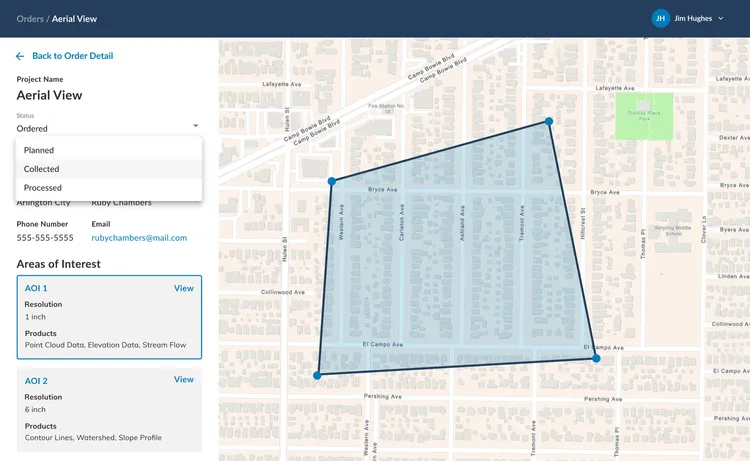 Selecting an Area of Interest (AOI) for Image Capture
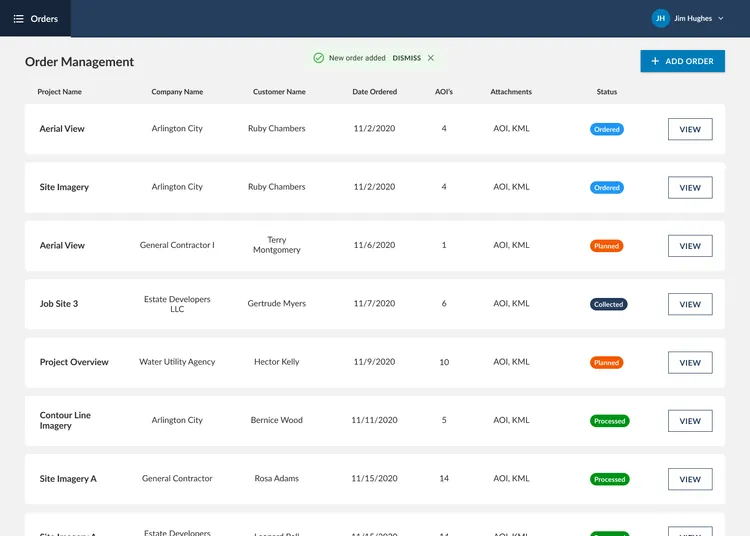 Order List Page - Successfully Submitting a New Order
User persona B: Internal operations team
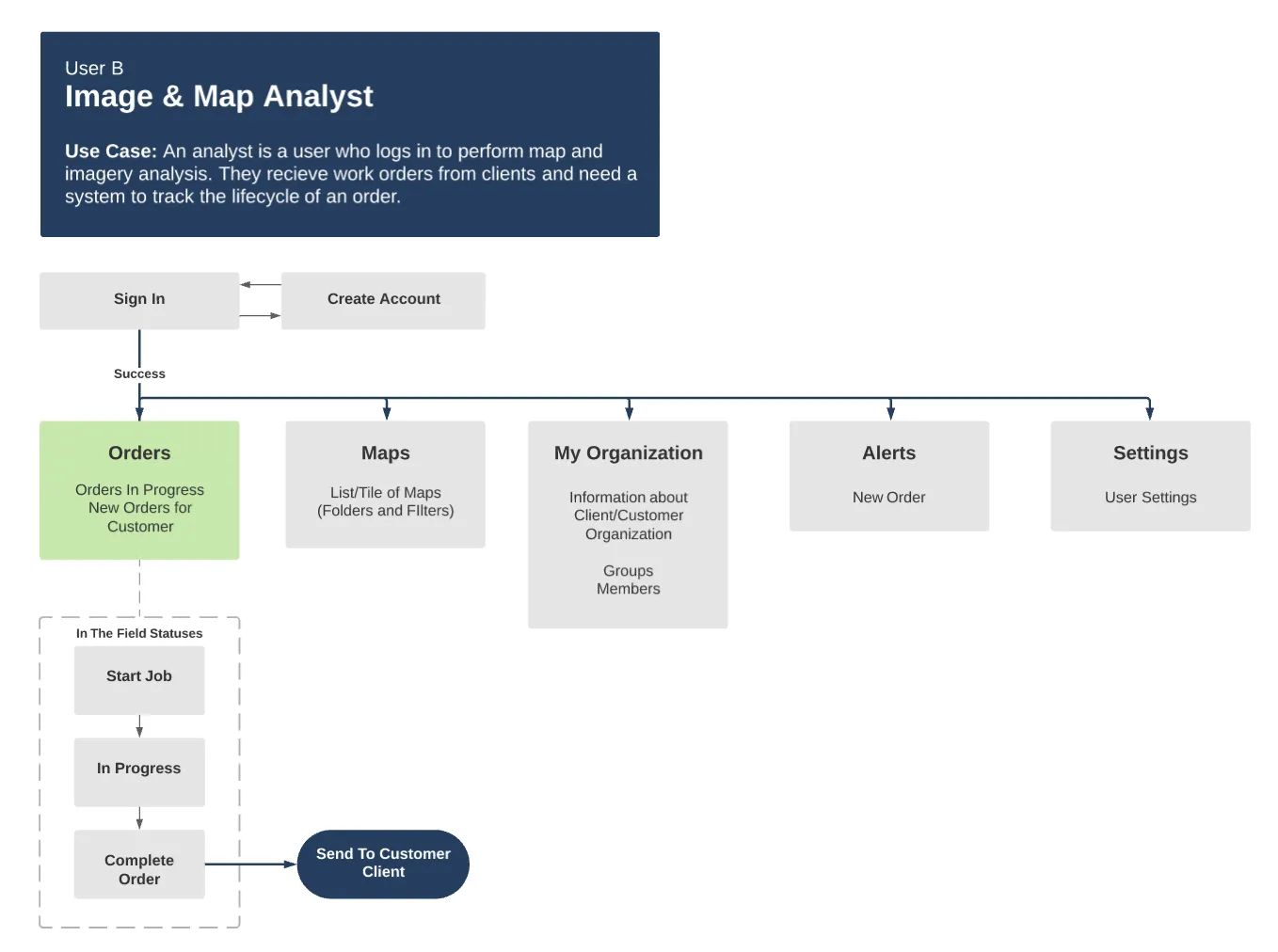
Prius Intelli’s internal operations team, made up of project managers and image and map analysts, managed and maintained customer orders. They tracked order status and delivery, and coordinated internal engineers for image analysis. They needed a configurable experience where they could create and edit projects and orders, create and customize new products, and deliver imagery to customers.
User B journey map
In understanding User B’s use case, we identified core areas this user may need to interact with and mapped them to a site map. This team works directly with images and maps, tracks order status, and manages customers and clients.
Selected high-fidelity mockups
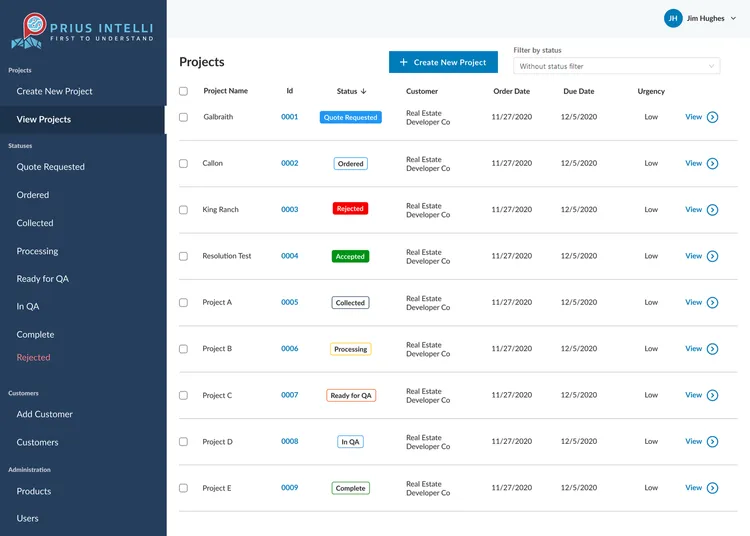 Ongoing Project List - Showing Projects, Order Statuses, and Filters
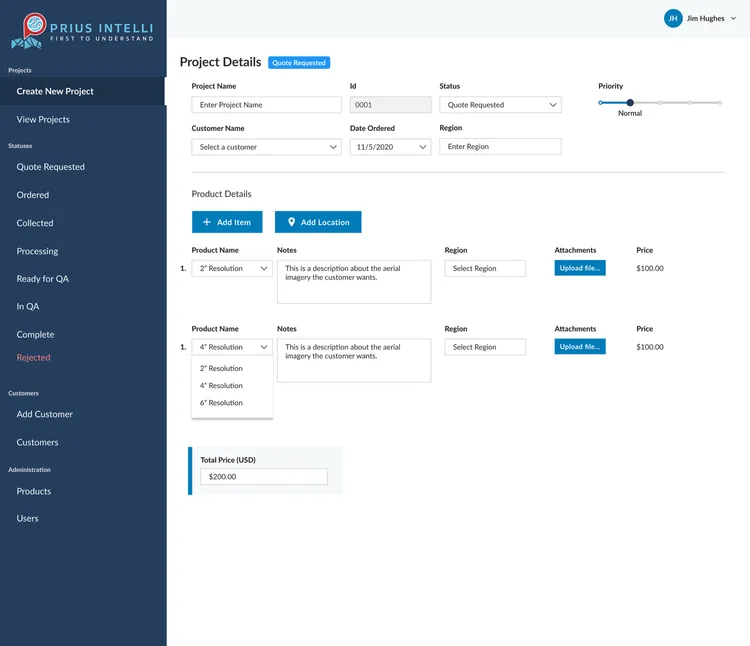 Create a New Project - Adding Project Form Details, Selecting Products, Placing Orders
Conclusion
After three months, we launched a production-ready MVP for initial customer use and discovery. From a design perspective, I provided the team with medium-fidelity mockups, screen flowcharts that showed the user experience at a high level, high-fidelity mockups for each screen, and a functioning clickable prototype to be used as a presentation aid for executives and a development aid for engineers.
Over the three months, I met with the executive team twice a week to gather feedback and review feasibility and timelines. Three times a week, I met with the engineering team to keep the build true to the design, adapt designs to technical constraints, and run acceptance testing on user flows.
Last Updated: