/ 3 min read
Site Selection
Site Selection – User Experience Overview
In the Summer of 2025, I helped design and build this map-first experience to help Kenya-based logistics and health teams make confident siting decisions for drone delivery logistics of health supplies. The goals of this user experience: keep people in flow as they filter, validate results on a map, compare routing results, and walk away with exports that tell the story behind our site recommendation.
My role: UX flows, interaction design, visual design, and front-end build
Goals: Clear filtering, honest spatial context, and outputs that explain why, not just which.
Problem
Stakeholders were juggling spreadsheets, PDFs, and static maps. I wanted a single place where they could:
- Start with curated scenarios tuned for a country, in this case Kenya (health, transport, environment, socioeconomic data included)
- Explore with both numbers and geography in view—histograms on the right, map on the left
- Toggle context layers (facilities, warehouses, KEMSA depots, keepout zones) without losing their place
- Compare drone vs. car routing to understand time, distance, and emissions trade-offs
- Export evidence in one click: PDF, high-res map JPEG, CSV/GeoJSON, plus a compact summary CSV
A quick UX walkthrough
- Land in results – You open to a Kenya-wide view with sane bounds and layer toggles ready.
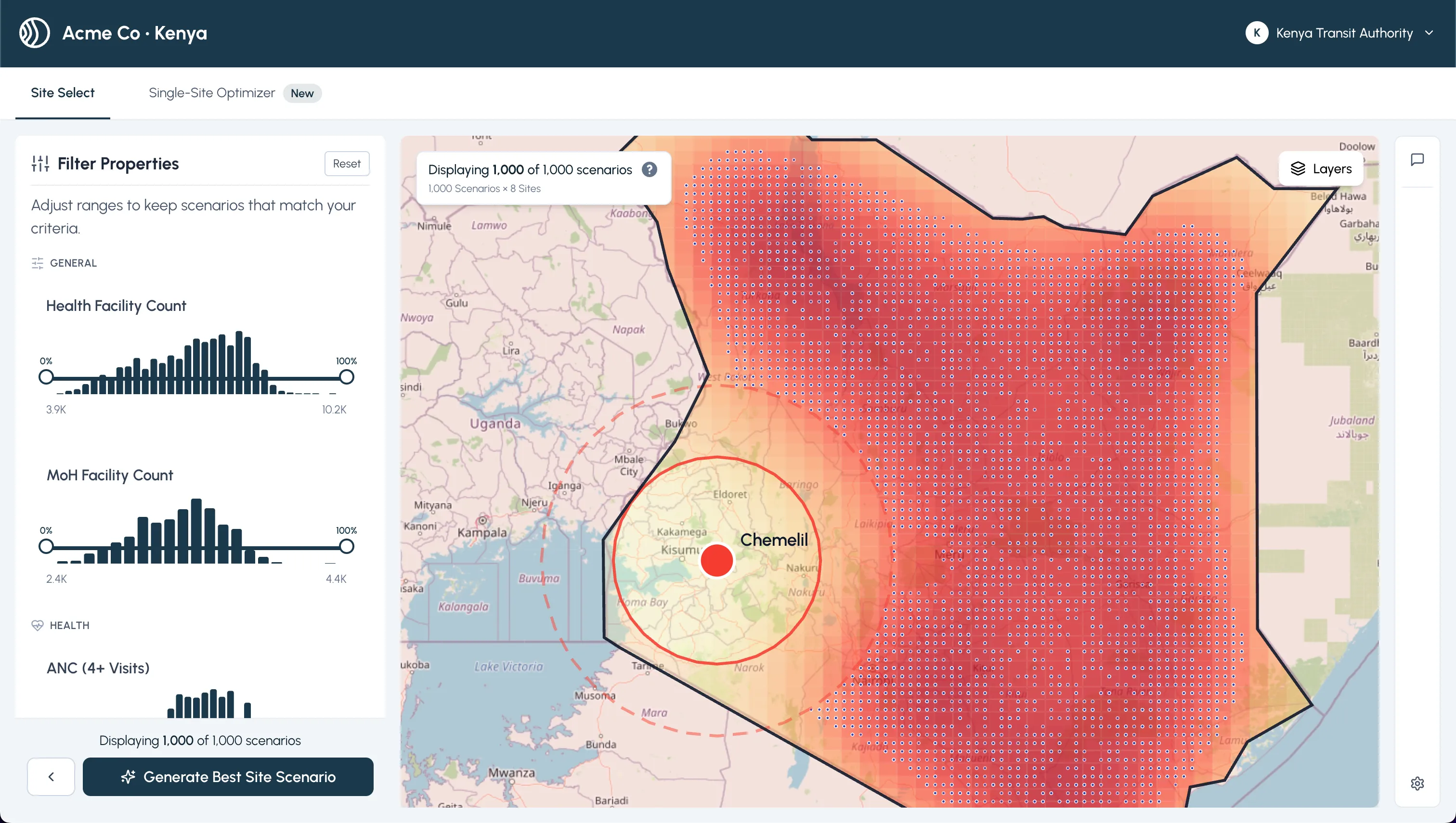
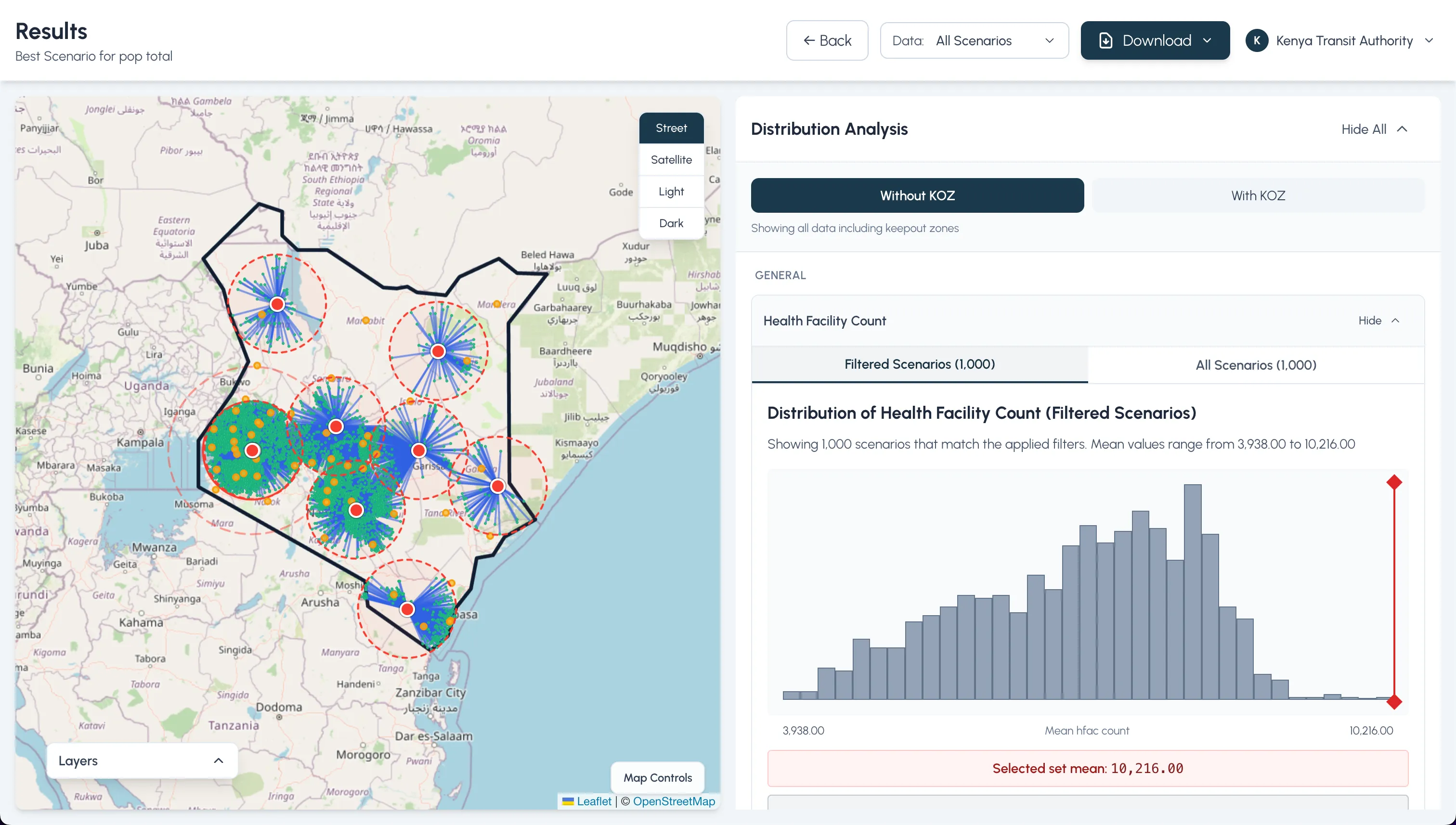
- Filter data – Variables are grouped by category; each histogram has “Filtered” vs “All” tabs so you can see how your choices shape the distribution. A KOZ toggle flips keepout zones on/off.
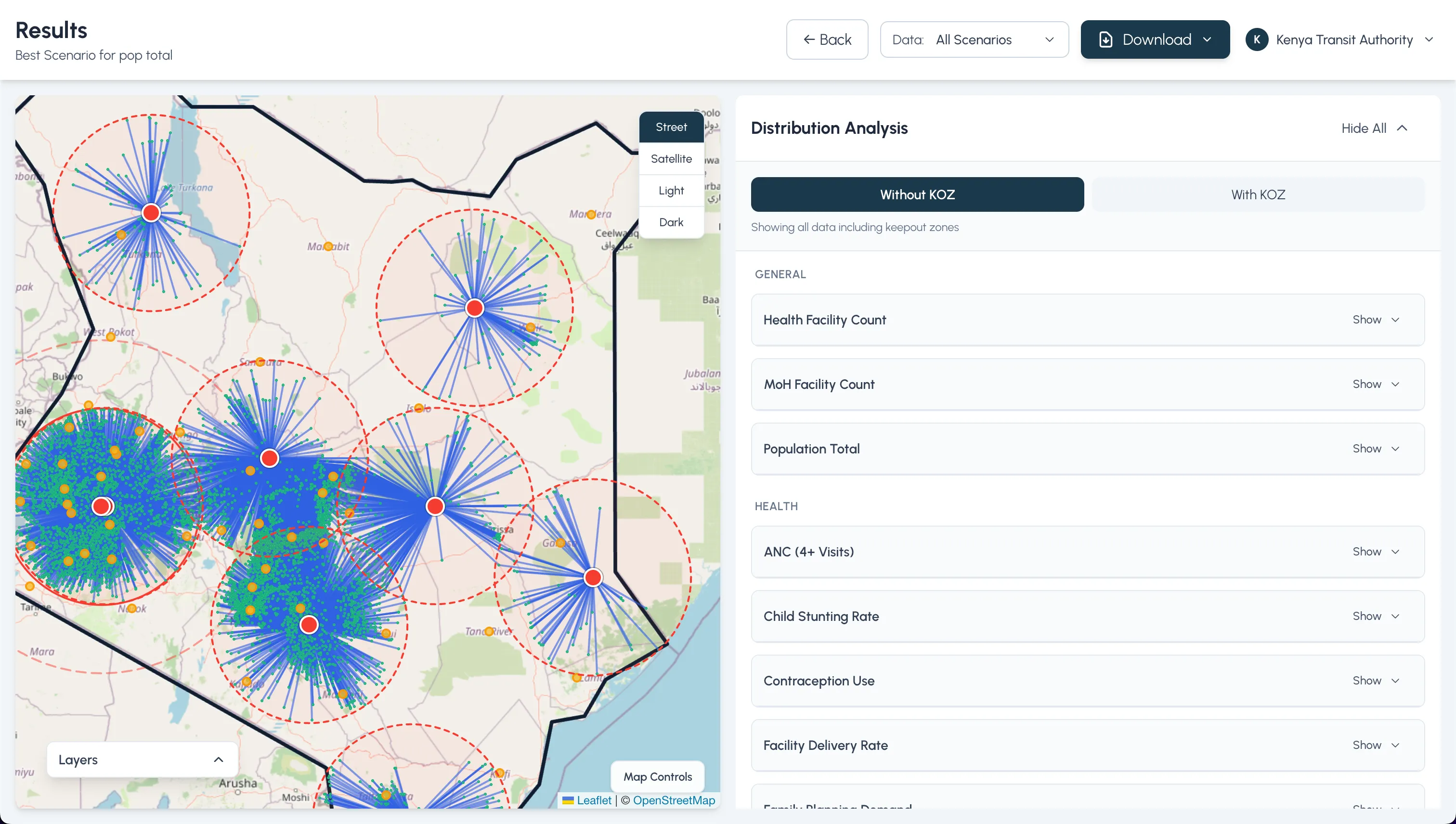
- Inspect on the map – Selecting a scenario highlights it spatially; base layers, keepout polygons, warehouses, and health facilities can all be shown or hidden to check coverage and constraints.
- Compare routing options – Where routing is available, you can display drone and car routes (plus nest-to-warehouse legs) and see the trade-offs reflected in the variable panels.
- Export – One menu packages the current state into PDFs, JPEGs, CSV/GeoJSON, and a summary CSV for quick sharing.
Screens in sequence
This order mirrors the journey: shortlist, inspect, validate, then capture the winning scenario.
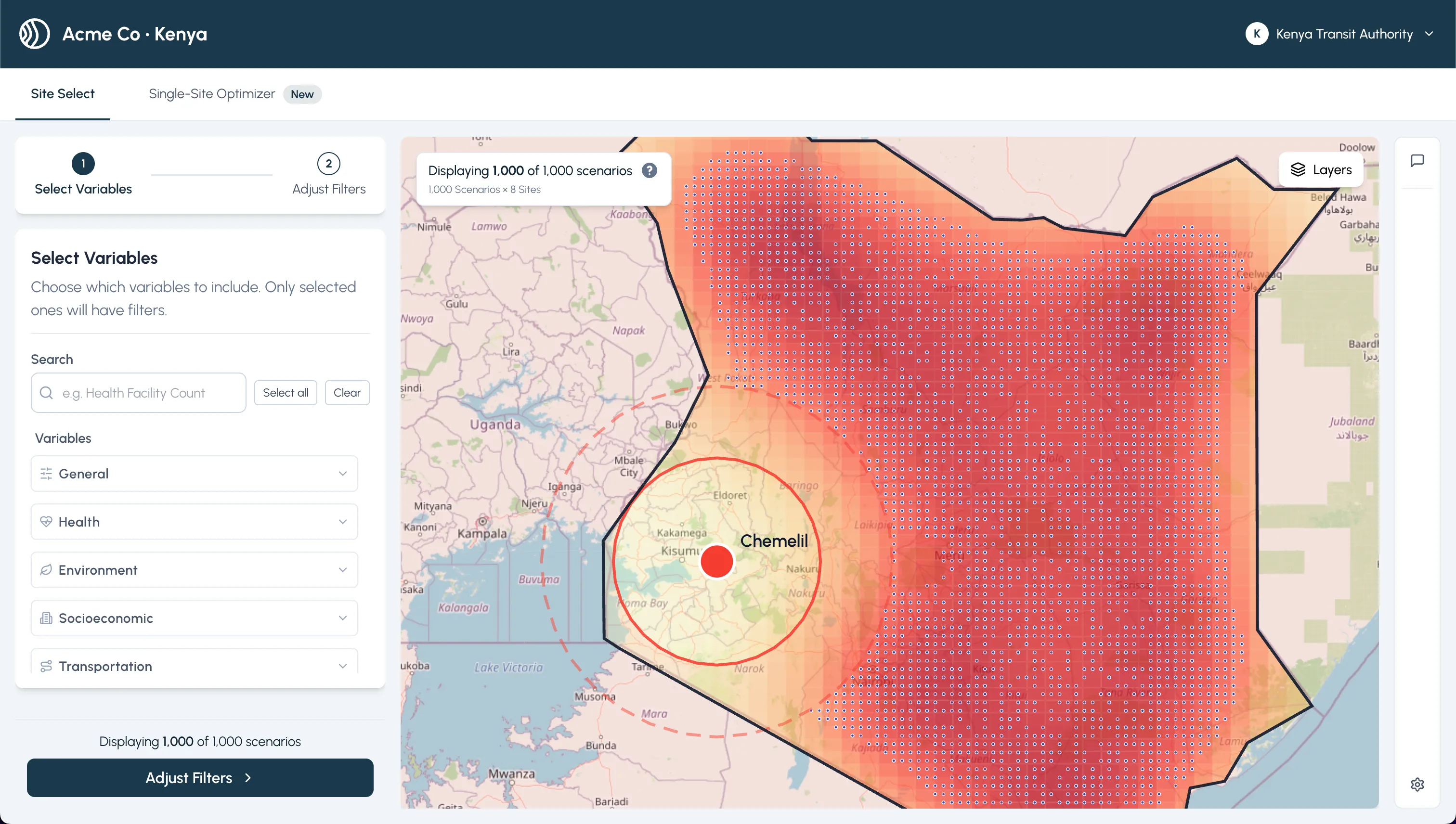
 Landing in results with ranked sites and quick filters
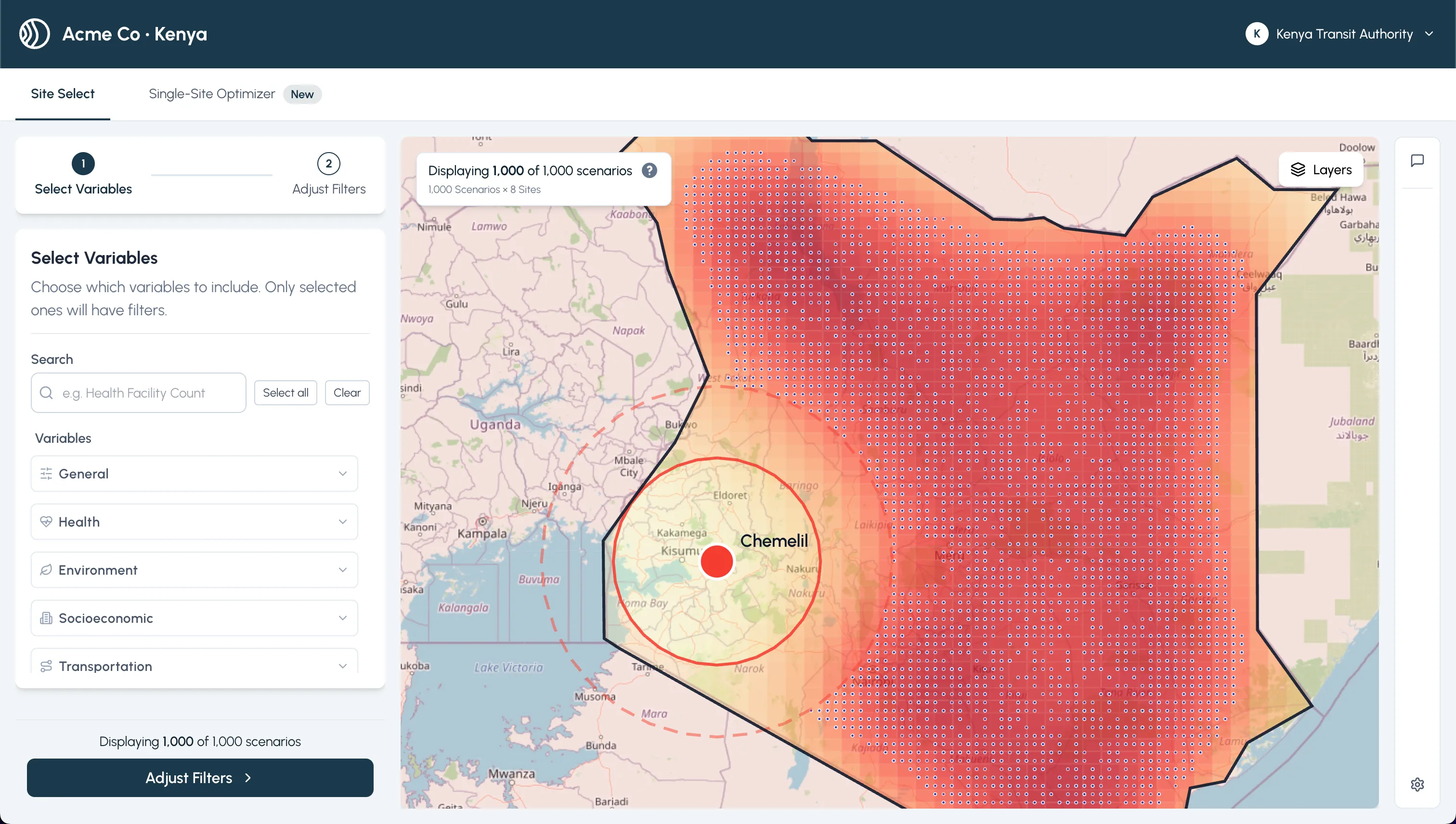
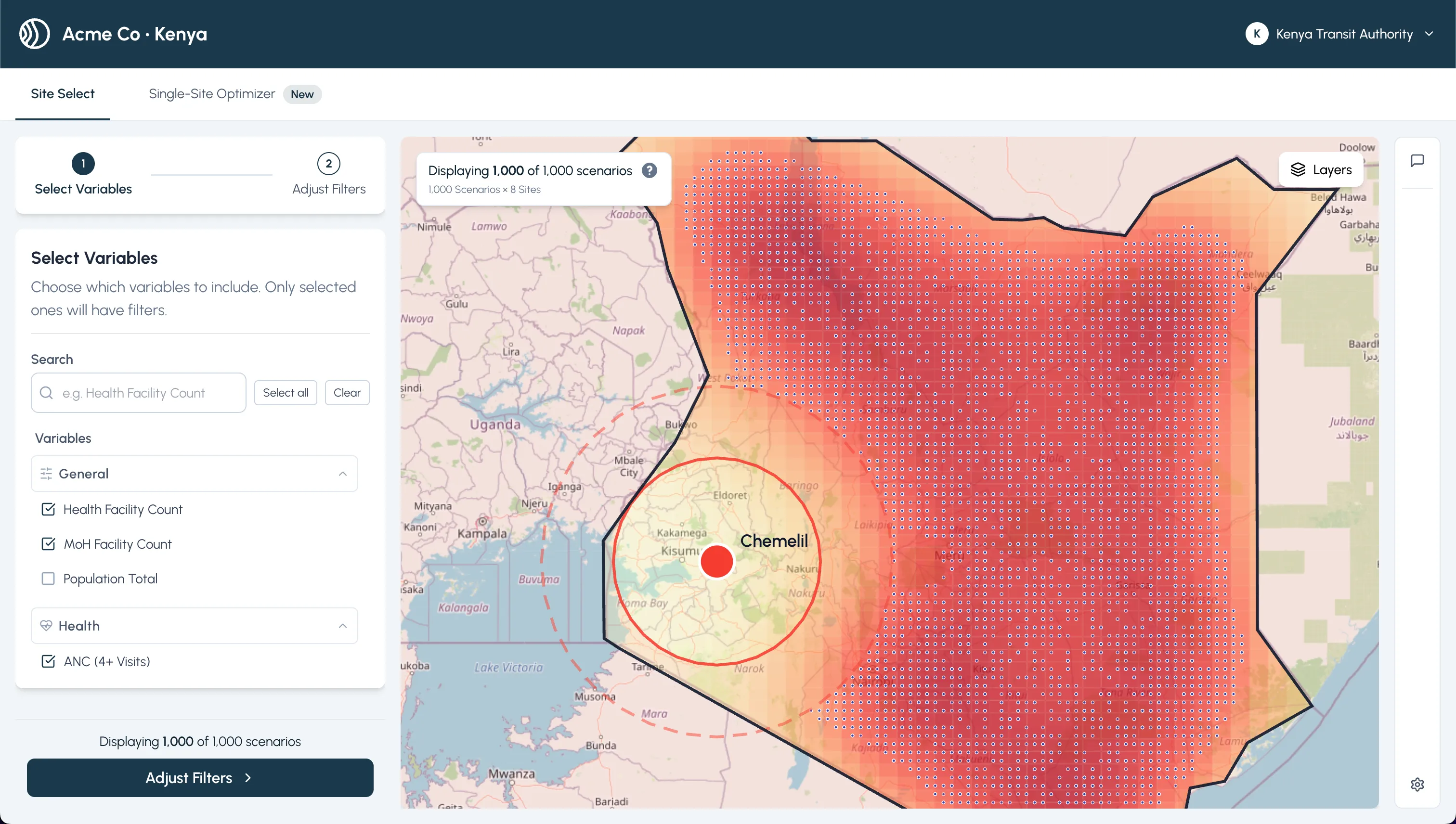 Filters + histogram tabs keep the data story visible
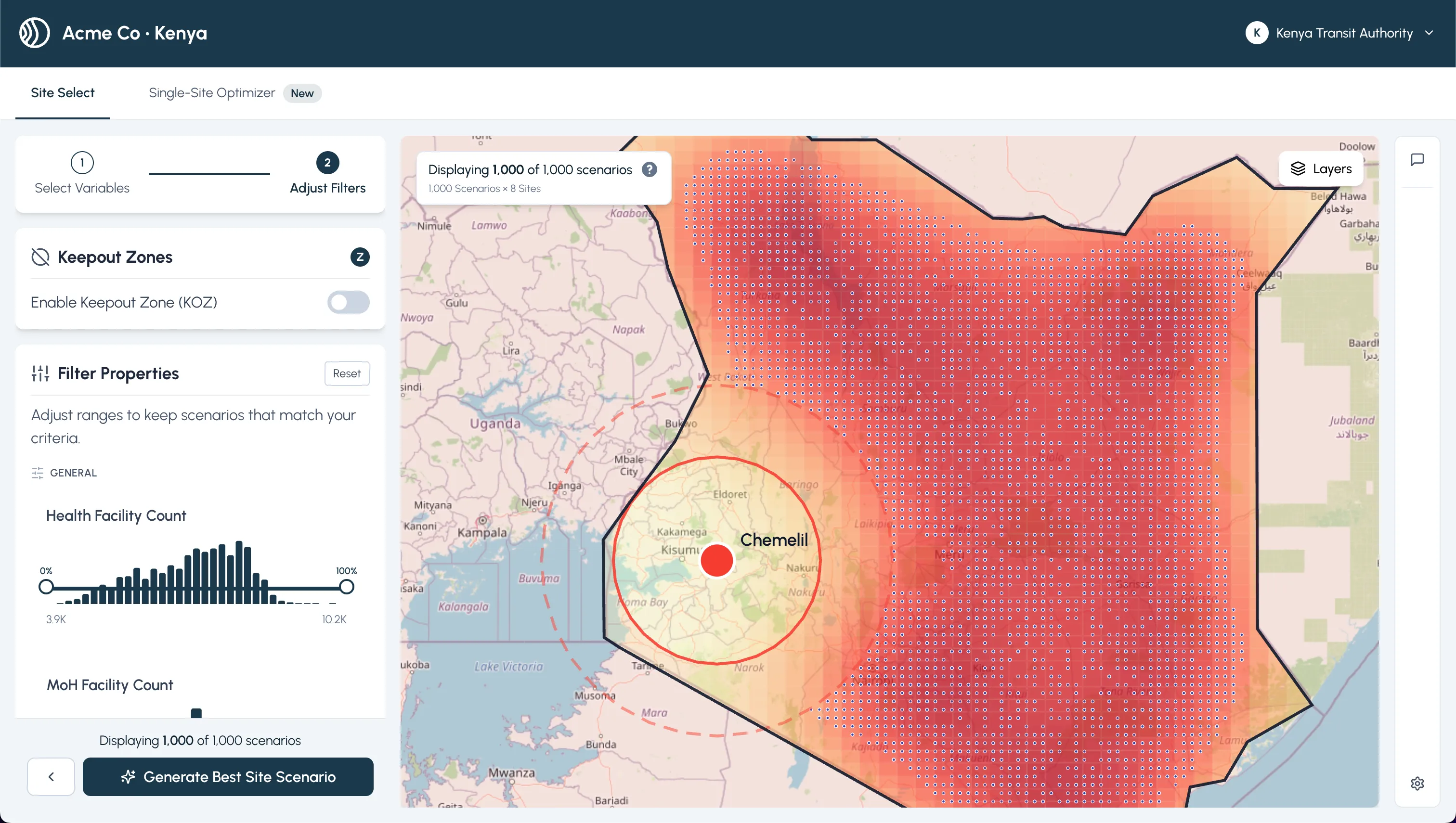 Detail drawer for a candidate with KOZ awareness
 Map + reference layers to validate coverage and constraints
 Shortlist view before routing and export
 Recommended site, ready to ship with exports
Single Site Optimizer
For teams that want one definitive pick, I added an optimizer that gathers weighted criteria and explains the trade-offs behind its recommendation.
- Progressive disclosure keeps people focused on one decision at a time
- Live feedback shows how weight changes nudge the outcome
- Outputs narrate why a site won, not just which site
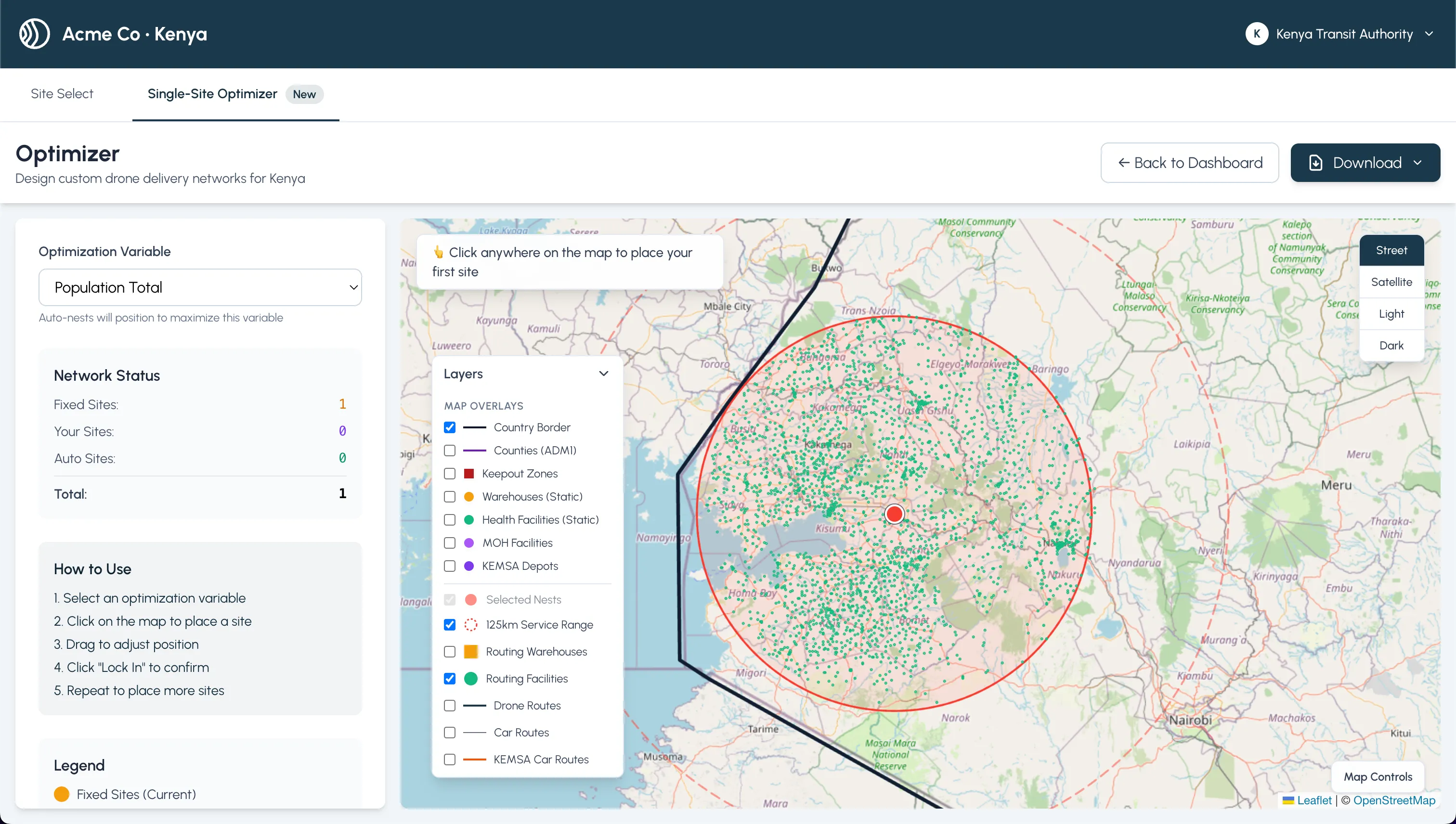 Collecting weighted criteria for a single-site recommendation
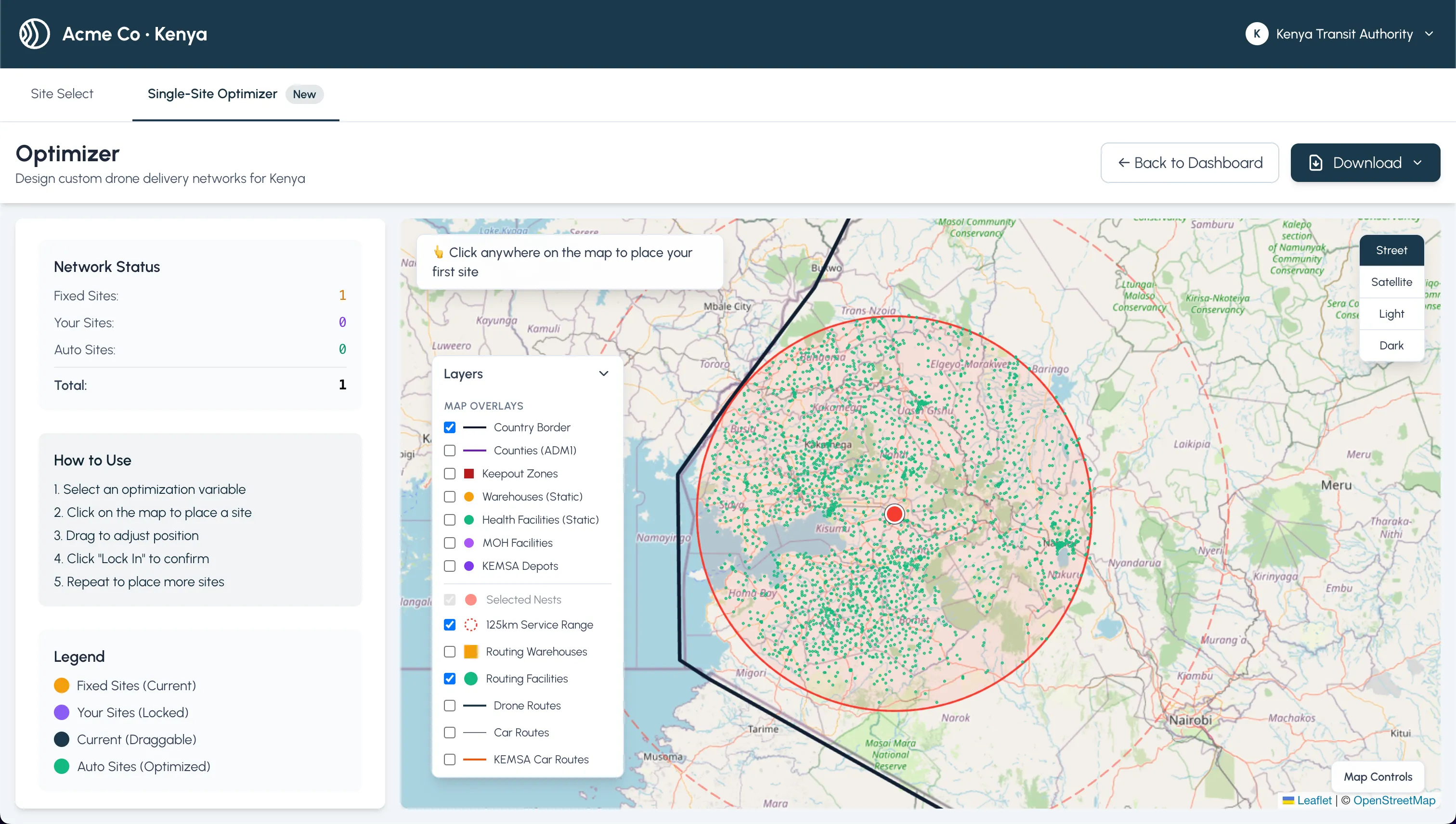 Progressive disclosure with live feedback on trade-offs
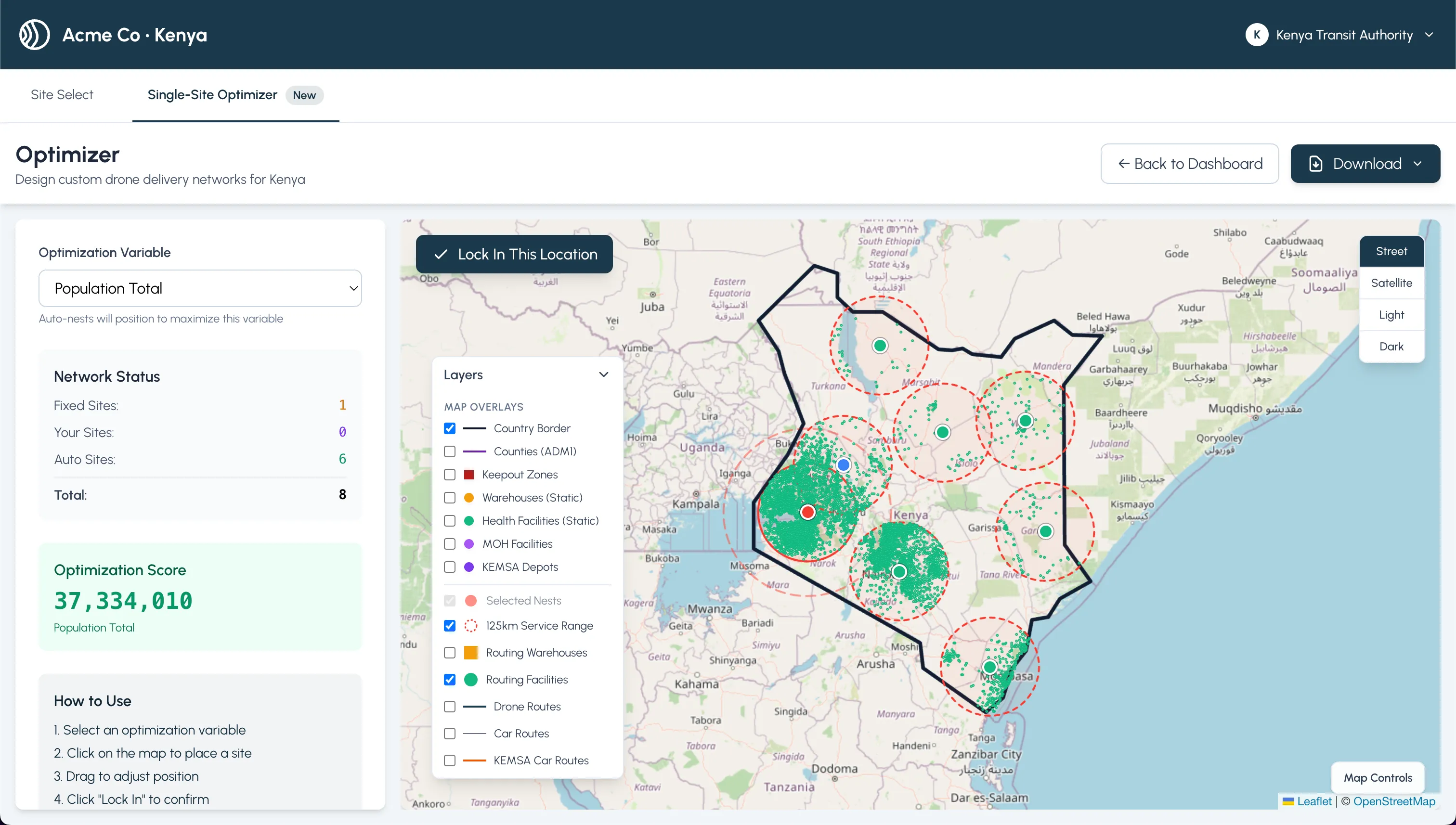 Optimizer output with final scoring and rationale
Outcomes
- Shows a complete decision loop: filter → spatially validate → compare routing → export
- Respects field workflows: fast toggles, KOZ-aware comparisons, and readable charts
- Produces shareable artifacts that explain why a scenario was chosen, not just which one
Last Updated: